
Get credit
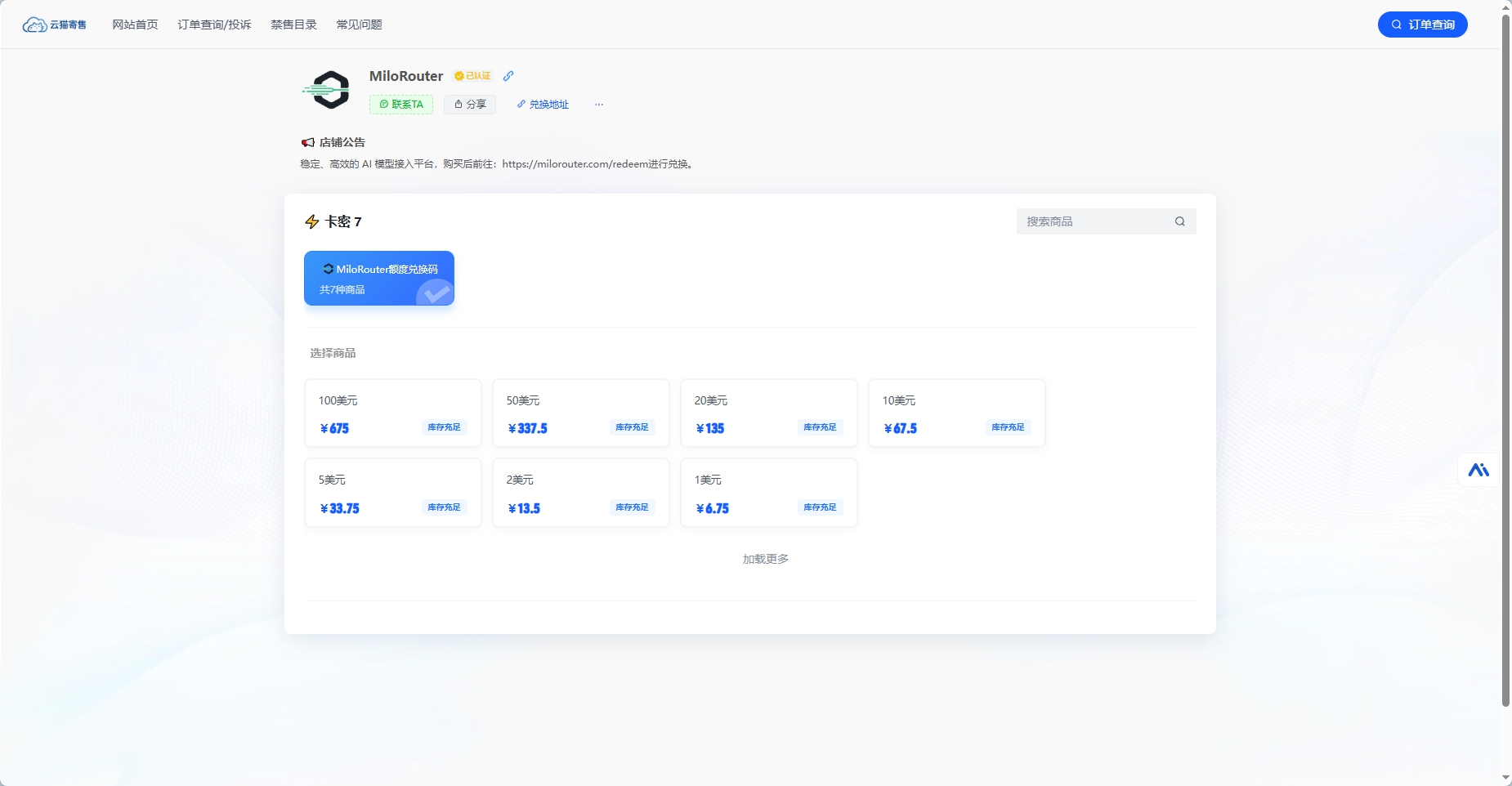
Buy a credit redemption code from the recharge shop, then redeem it in MiloRouter.
How it works
MiloRouter currently provides credit through a recharge shop. Payment gives you a redemption code; credit is added only after you submit that code on the Redeem page.
- 1
Open the recharge shop
Use the Recharge Shop item in the dashboard menu.
- 2
Choose credit and pay
Select the required USD credit amount and complete the order.
- 3
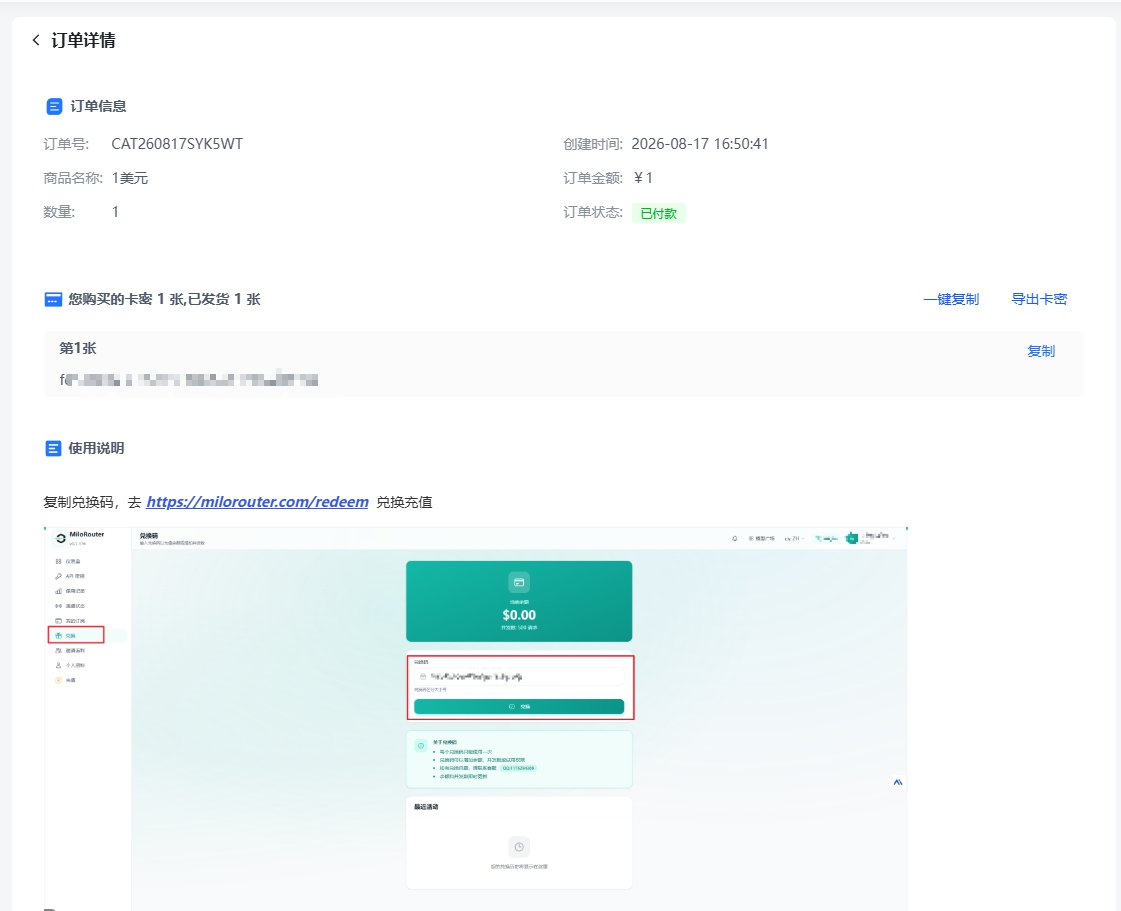
Save the code
Copy the code issued after payment.
- 4
Redeem it
Return to MiloRouter, submit the code, and confirm your new balance.
1. Buy credit
2. Save the redemption code
The order result page displays the automatically issued code. Copy it before leaving the page.
3. Redeem in MiloRouter
- 1
Open Redeem
Return to the dashboard and choose Redeem from the menu.
- 2
Paste the code
Remove accidental spaces before or after it.
- 3
Submit
Codes are case-sensitive and must not be edited.
4. Confirm the balance
- Each code can be redeemed once
- Refresh the dashboard after a successful redemption
- If redemption fails, check for missing characters, spaces, or prior use
- Never publish a code, order number, or account details