
Channel status
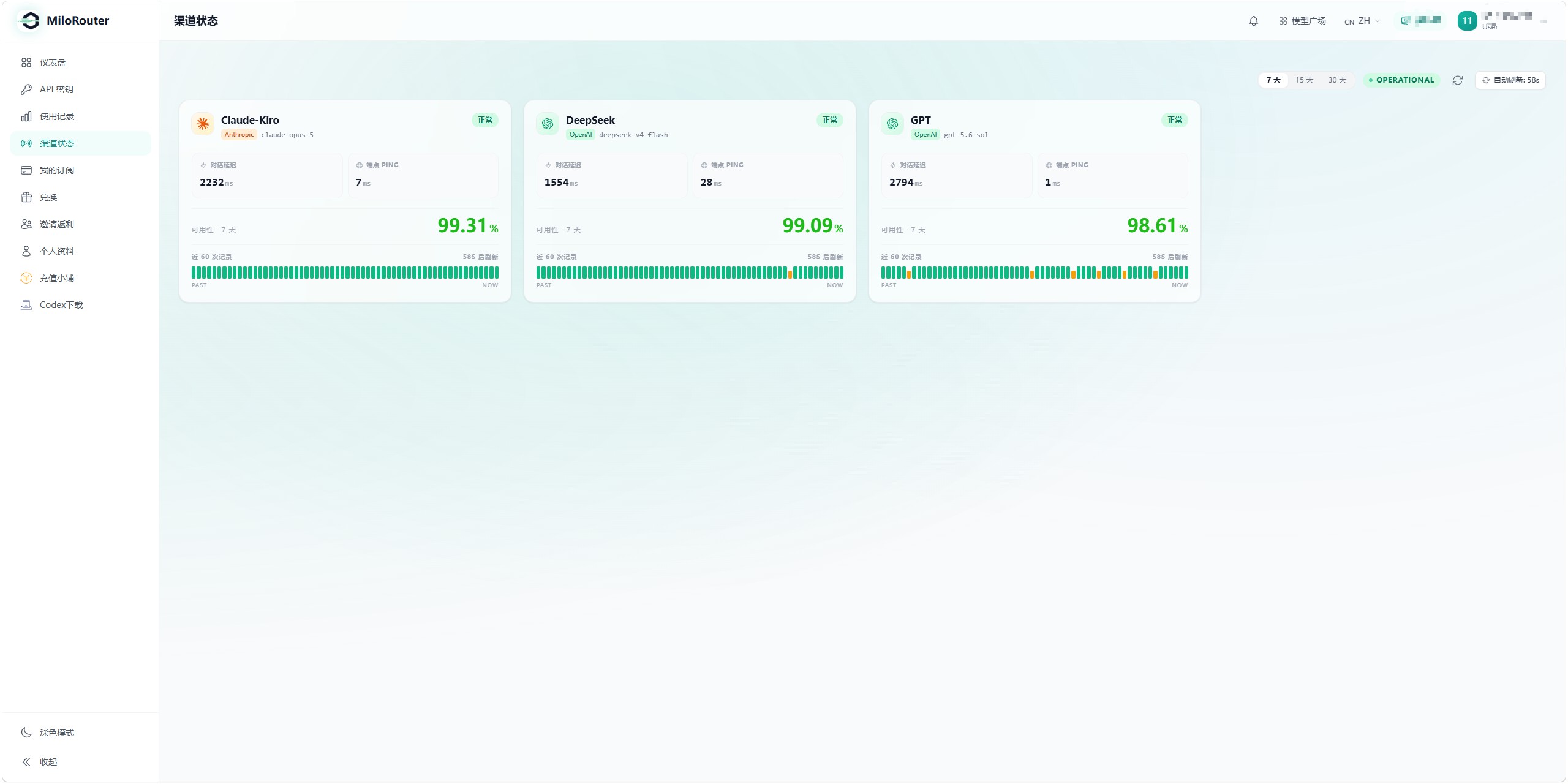
Use live status, latency, ping, and availability to decide whether to switch models.
Health signals
| Signal | Meaning |
|---|---|
| Healthy / degraded | Current overall channel health |
| Conversation latency | Response time from an active test |
| Endpoint ping | Basic network latency to the endpoint |
| Availability | Success rate over 7, 15, or 30 days |
| Last 60 checks | Recent probe history |
When a channel is degraded
- 1
Confirm the scope
Check whether one model, one group, or several platforms are affected.
- 2
Review request logs
Match failures by time, model, and endpoint.
- 3
Choose an alternative
Select a healthy channel for the same type of task.
- 4
Keep evidence
Record the time and request ID, hide keys, and then contact support.